An order book that matches reality
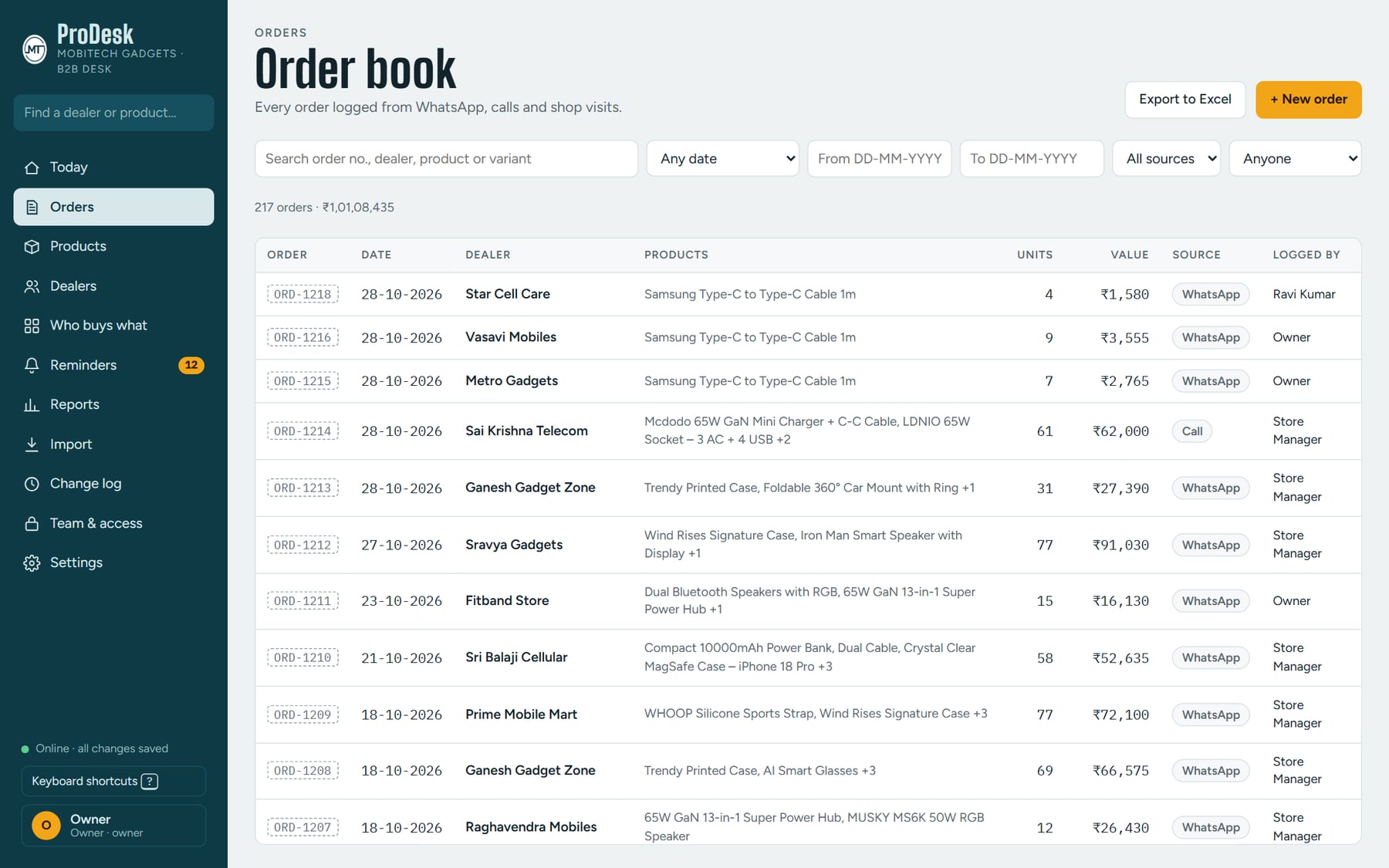
Orders logged from WhatsApp, calls and shop visits, searchable, filterable and exportable, with who logged each one.
 Mangal TechSoftware studio
MobiTech ProDesk / Case study
A web desk built for MobiTech Gadgets, a mobile-accessories distributor. Every order from WhatsApp, calls and shop visits in one place, with the dealers who are due a call and the stock that needs moving kept in front of the team — on an iPad, a laptop or a phone.

A distributor lives on repeat business. Orders arrive through WhatsApp messages, phone calls and shop visits, and the hard part isn’t taking them — it’s keeping one clear picture: what came in, which dealer is overdue a call, which stock is getting old, and who isn’t buying something they easily could.
MobiTech Gadgets needed that picture on a desk their whole team could use, from the owner down to the counter staff, without everyone seeing everything. The brief was a fast, plain system that fits how orders really come in, tells the team who to chase, and keeps working when the connection drops.
Follow the day — the screen keeps up. Screens show sample data.
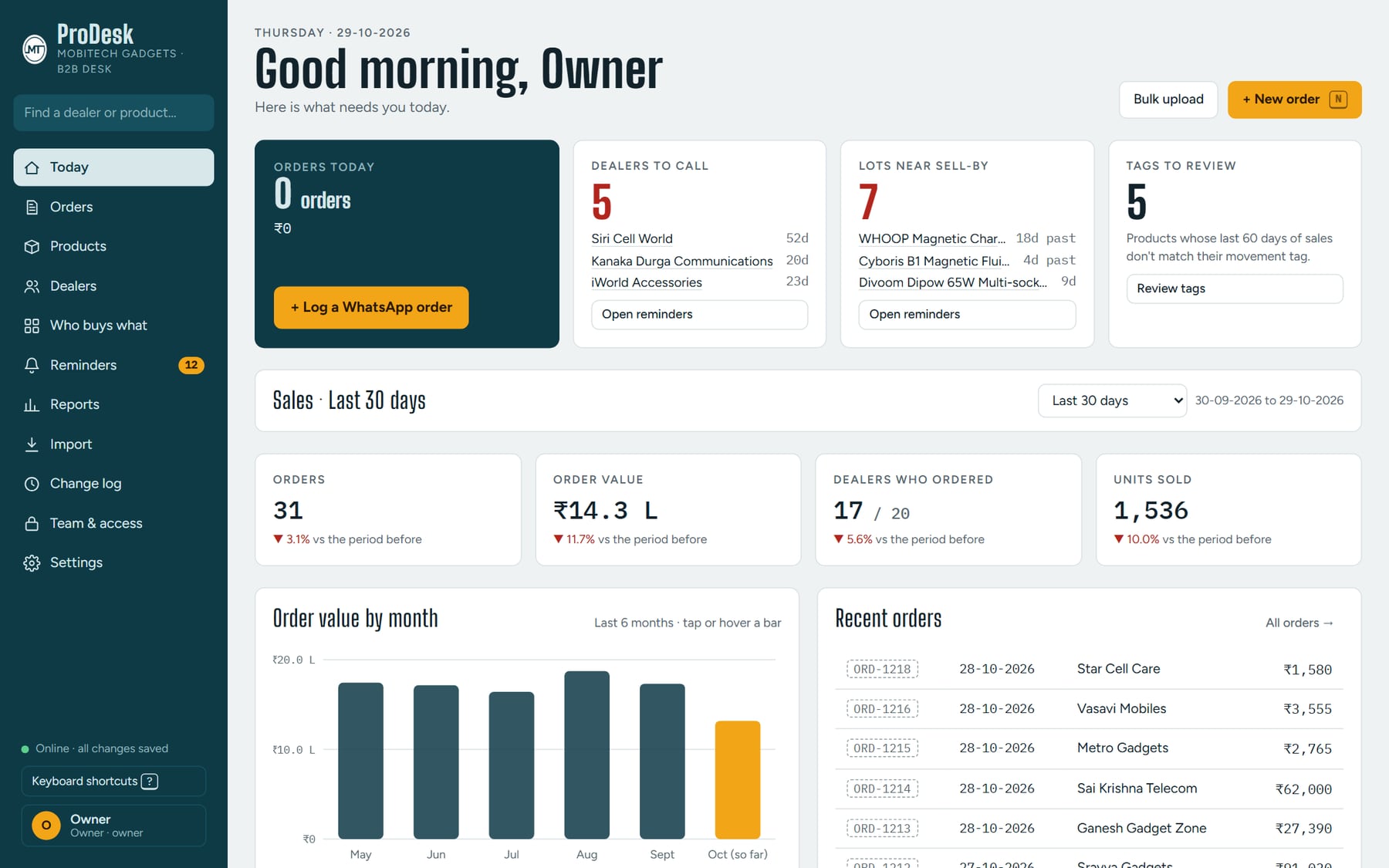
Today shows orders so far, dealers to call, stock lots near their sell-by date, the last 30 days against the 30 before, and a month-by-month order chart.
Each order is tagged WhatsApp, call or visit, and the order book searches by order number, dealer, product or variant, filters by date, and exports to Excel. A new order saves on the device as it’s typed, so nothing is lost mid-call.
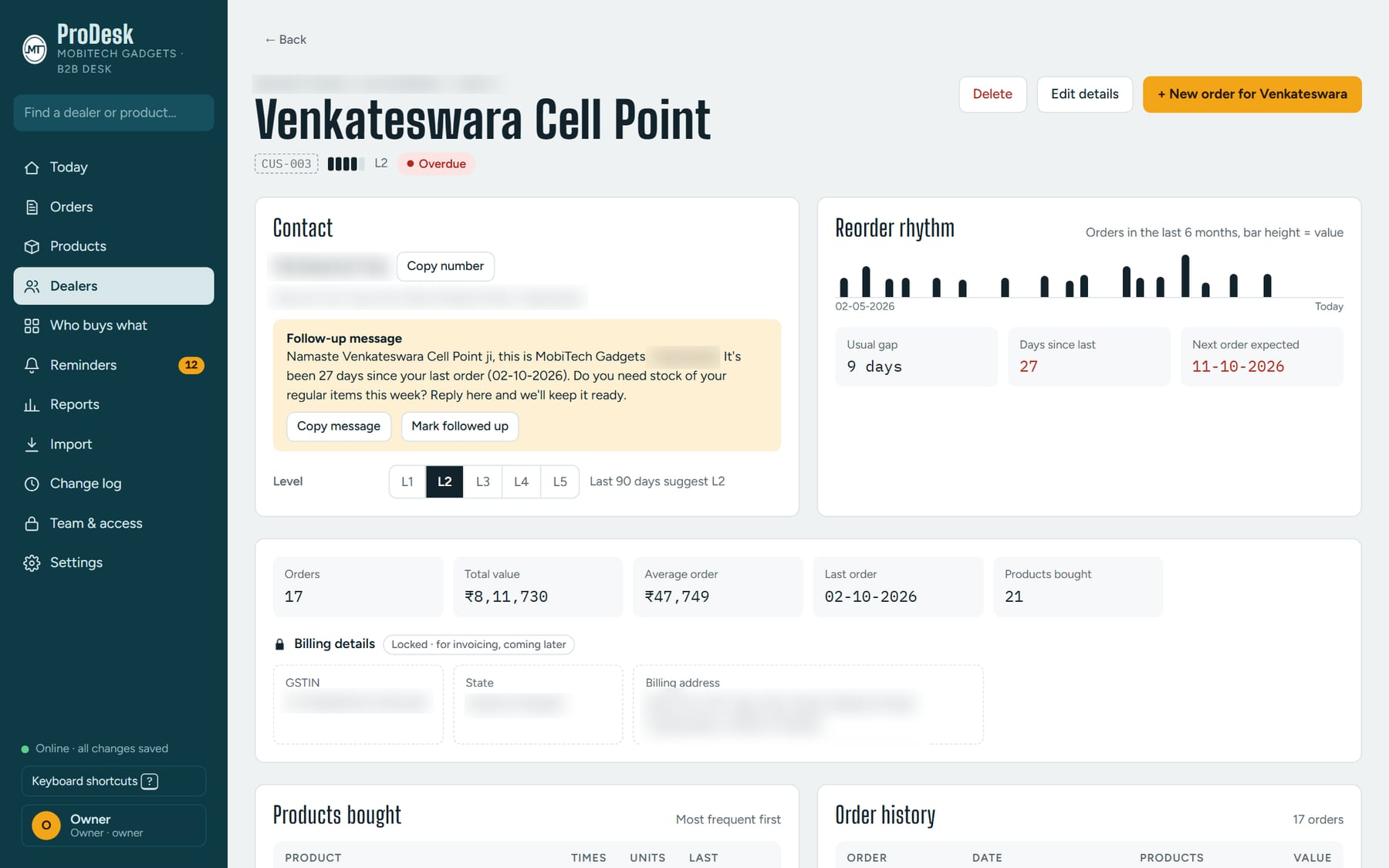
Every dealer page compares their usual gap between orders with the days since the last one, flags when they’re overdue, and offers a ready-to-send follow-up message, plus their products and full order history.
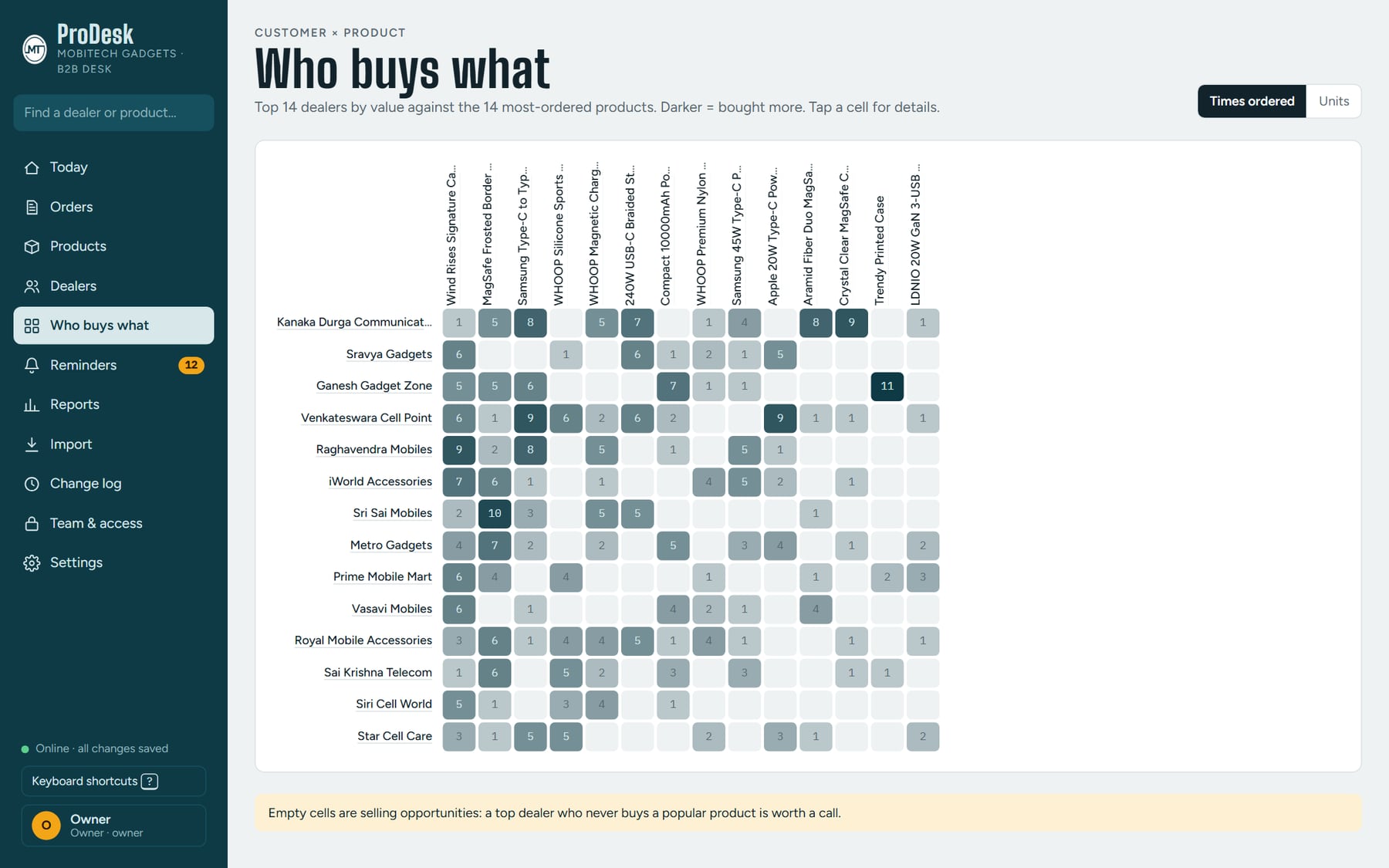
Who buys what maps top dealers against the most-ordered products, darker for more. The empty cells are the opportunities: a good dealer who never buys a popular product is worth a call.
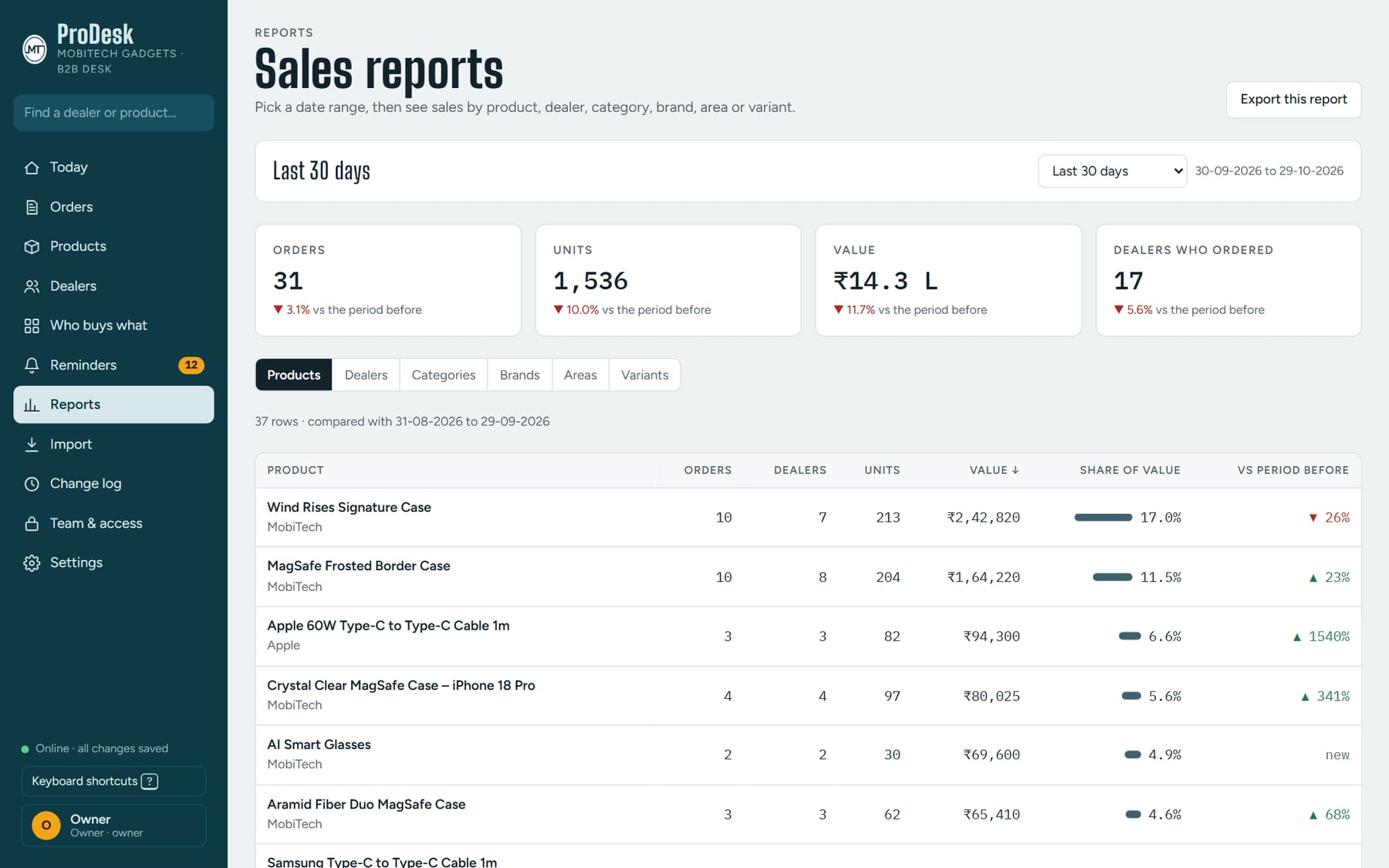
Sales reports cover any date range by product, dealer, category, brand, area or variant, each compared with the period before, and export for sharing.
Orders logged from WhatsApp, calls and shop visits, searchable, filterable and exportable, with who logged each one.
What needs attention this morning: dealers to call, stock to move, and the sales trend against the period before.
Reorder rhythm, days since last order, a dealer level, a follow-up message ready to copy, and a full history.
Dealers due or overdue against their own usual gap, and stock lots nearing their sell-by date with the dealers to offer them to.
A dealer-by-product map and sales reports by product, dealer, category, brand, area or variant.
Products and dealers loaded from Excel templates, reports exported, and every change recorded so the team can see who did what.
“Log a WhatsApp order” is the main button, and every order carries its source. The desk follows the business instead of asking the business to change.
A dealer is “due” when they reach their own usual gap and “overdue” well past it. The list builds itself, so follow-ups don’t depend on someone remembering.
The owner sets what each role may see. Rates, MRP, order values and full phone numbers aren’t simply hidden on screen — they’re never sent to people without access.
Without a signal, orders save on the device, show as waiting to sync, and go through on their own once the connection returns.
ProDesk was delivered to MobiTech Gadgets with a plain-words handover guide: how to run the desk day to day, add and switch off team members, load real products and dealers from Excel templates, keep it safe, and what to do if something goes wrong. It runs on the client’s own accounts, so the business holds its own data from day one.